


There seems to be an app for absolutely everything now. I wouldn’t be surprised if there is some widget in my house monitoring the sharpness of my kitchen knives right at this moment, just waiting for the opportunity to buzz me to put a fresh edge on them. We’ve gone a bit overboard with the apps, in my personal opinion. This overload of options has led to more confusion than clarity in many cases. However, we’re here to help make sense of the madness, in regards to thebass fishing apps at least. Here’s our list of the 8 best bass fishing apps on the market, in no particular order.
- Navionics
- ANGLR
- Fishing Chaos
- FishBrain
- BassForecast
- Weather apps
- Current apps
- Google Earth
NAVIONICS
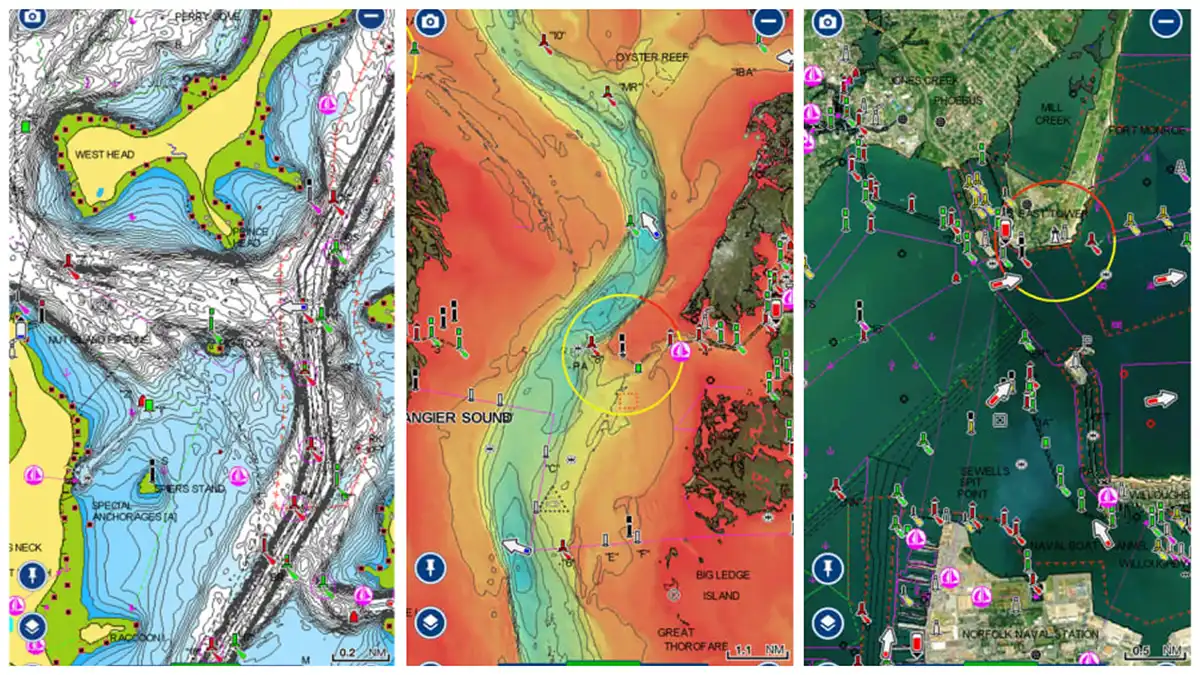
The Navionics app is powerful, chock full of topographic maps that cover much of the globe. For users in North America, the yearly subscription costs $49.99 and covers the entire U.S. and Canada, inland waterways as well as coastal waters.
This app is a little pricey, but the good news is you can test it out for free. If you fish from a boat and don’t have advanced electronics, it’s well worth the money. Even if you do have graphs on the boat with topo maps, having the Navionics app on your phone or tablet allows you to prepare for upcoming trips from the comfort of your couch.
The standard topographical maps are really just the tip of the sword when it comes to what this app is capable of; there are multiple overlay options, the ability to create your own charts and customize the shading of others and more. This is one I’ve personally used a good amount over the years. It’s worth the money, in my opinion, of the angler fishing often and/or competitively from a boat or kayak.
ANGLR
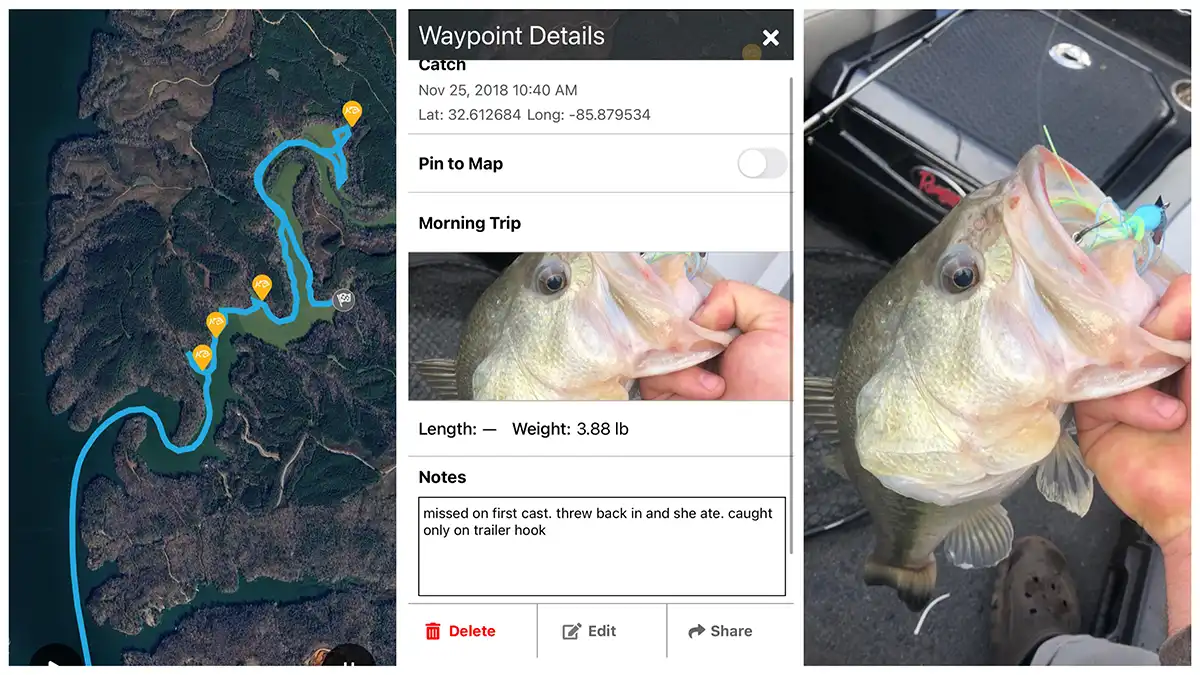
This is another app I have a good bit of experience with. I did regular freelance work with the guys over at ANGLR for a few years which allowed me an intimate look at what they were doing. The flagship feature of the ANGLR app is its digital logbook. You can start a trip in the app and as you fish along, your route is saved, along with a plethora of other information.
When you catch a fish, you can drop a waypoint and the time of day. GPS location, weather conditions and more are automatically gathered and logged in conjunction with that waypoint. You can also go in and add a photo of the fish catch if you want as well as notes about the catch. All of this is private to the user by default, only shared by choice with close friends or the larger community of ANGLR users.
ANGLR is a great app for off-water research and prep too. When I was regularly using the app I would go in and look at the satellite imagery to find brush piles, rocks, vegetation and other cover and then mark them on the app using one of the corresponding customizable icons. Then when I went on my next trip, I could pull up the map and run straight to cover and develop a pattern quickly.
There is a free version of the ANGLR app, as well as a premium version that unlocks more capabilities for $2.50/month ($29.99 billed annually).
FISHING CHAOS
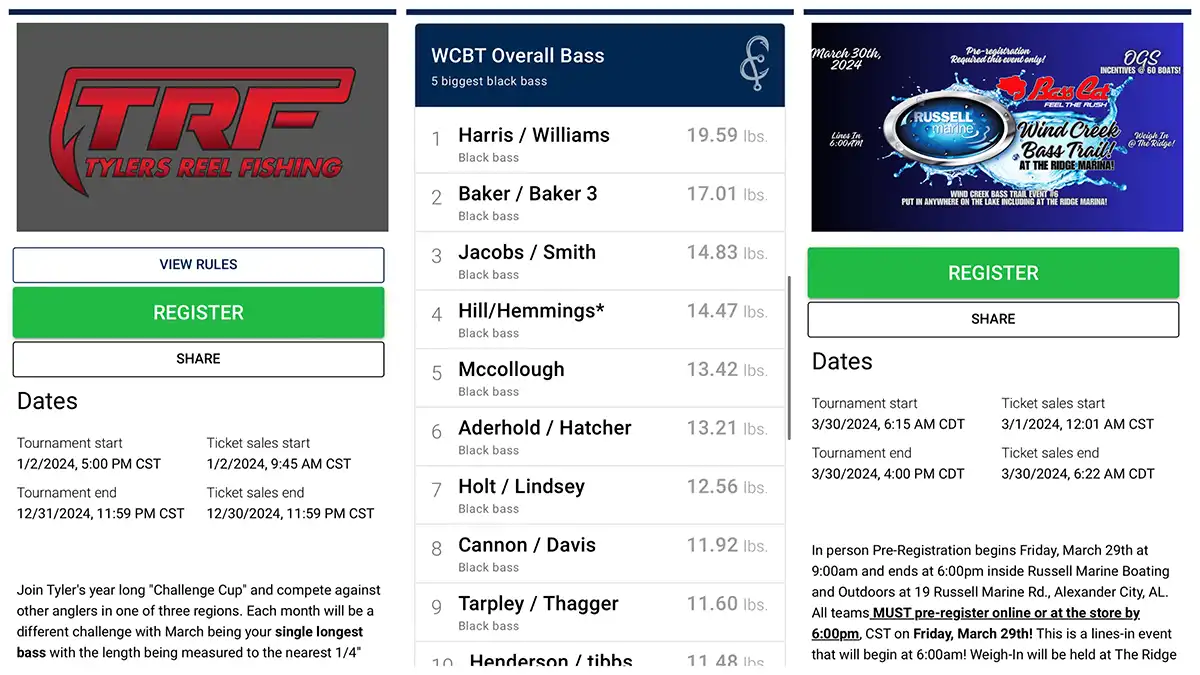
Next in line with apps that I have more personal experience with: the Fishing Chaos app. It is doing some really big things in the industry. I was first made aware of this app while fishing in a local tournament trail on Lake Martin, run by OGS Tournaments. For the first time, at a local pot derby, there was a live leaderboard on a big screen at the weigh-in, as well as one I could follow along with from an app on my phone. All this was made possible by Fishing Chaos.
However, what I originally thought was just an app that made LIVE leaderboards available for local derbies, I soon found to be much, much more. Fishing Chaos partners with companies, organizations and clubs to host hundreds of digital catch-photo-release tournaments throughout the year, with literally tens of thousands of dollars worth of cash and prizes up for grabs in some of them.
I went and sat down with the Fishing Chaos crew at their headquarters in Mobile, Alabama a few months ago; this is a company to keep an eye on and an app that will offer unique opportunities for anglers in the coming months and years. All this is in addition to the earth shaking innovations they have already made in the industry.
The app is free to use, with different levels of requirements/entry fees for tournaments. Fishing Chaos charges a fee to host an event. Learn more by emailing [email protected].
FISHBRAIN
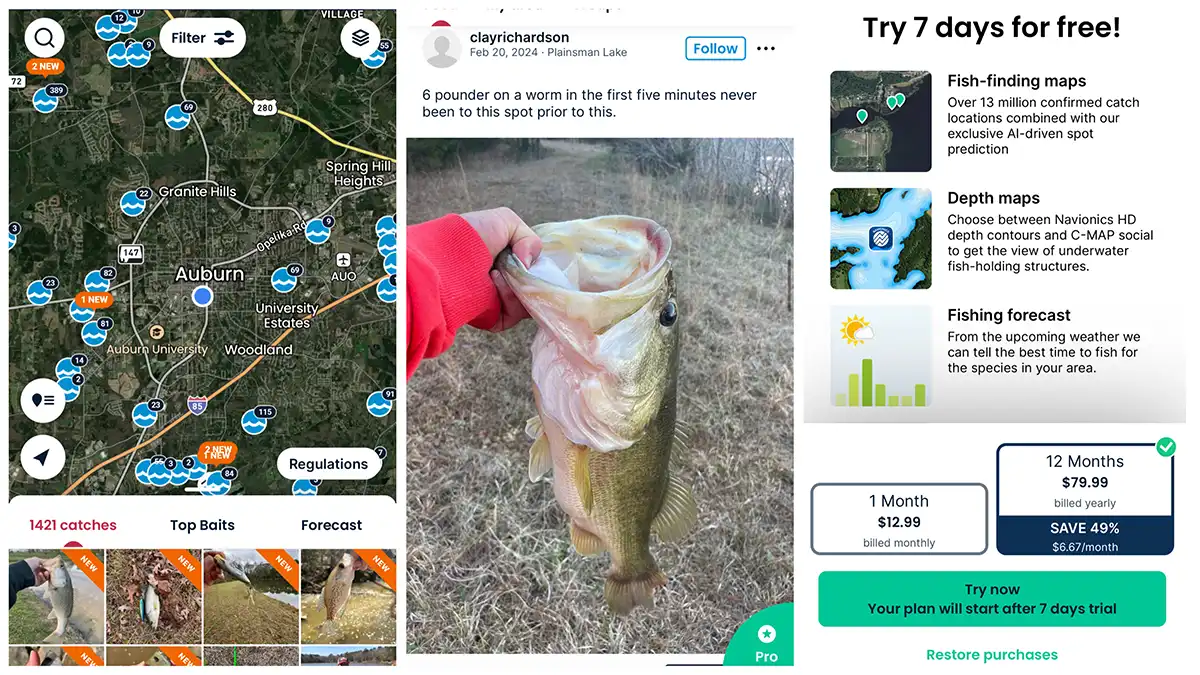
This is an app I’ve heard a lot about, seen a ton of ads for, but don’t have any personal experience with. From what I can gather, the app has a free version as well as a paid premium version. One of the apps main functions is to crowdsource fishing locations to shorten the learning curve for anglers looking for hot fishing spots.
The critiques I’ve read of the app say that some of the users post incorrect information, with fish catch photos not matching up with scenery in the area where the catch was supposed to have taken place. This possible drawback aside, the app appears to be a very beneficial option, especially for newcomers who could use basic recommendations on where to fish and what to fish with.
FishBrain has a basic free version with a Pro version that costs $12.99/month, or half that ($6.67/month) when you pay $79.99 for the whole year.
BASS FORECAST
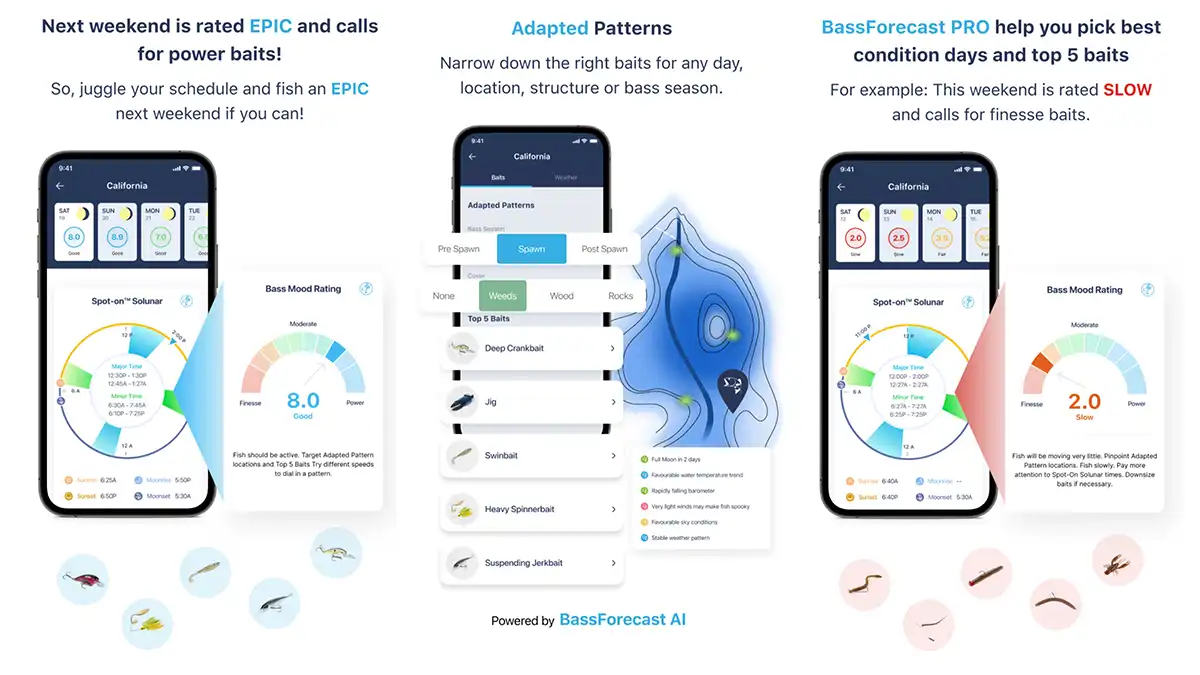
Bass Forecast is another app I’ve heard a lot about but haven’t personally used. It is another app that appears to be something a novice angler could benefit from tremendously. Their slogan states: “Bass science made simple”.
Bass Forecast uses past weather patterns as well as future weather forecasts to create a custom game plan for any angler based on where he or she is fishing. Once you enter your location the app pulls the data for that area and kicks out an overall score for how the fishing should be, as well as what techniques and baits will likely work best.
A good deal for a beginner to intermediate angler at $1.66/month, billed annually for $19.99.
WEATHER APPS
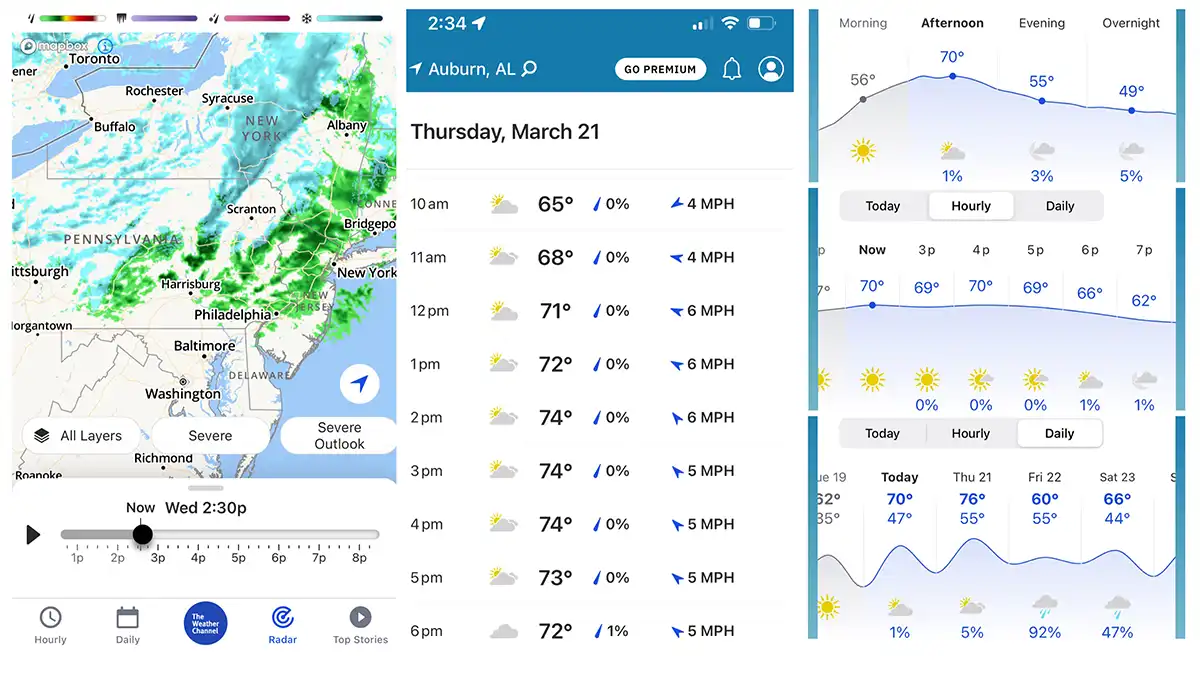
A good weather app like the Weather Channel, Windy.com or Weather Underground is absolutely essential for any angler. Many of the bass fishing apps have some sort of weather component or layer that can be used in conjunction with other features. However, a straight, stand-alone weather app is usually superior to these built-in functions.
The precipitation forecast for the day as well as the wind speed, direction and the barometric pressure all play big roles in deciding when, where and how to fish on any given day.
Apps like Bass Forecast appear to do a pretty good job of calculating a lot of this for you, especially if you’re an angler just getting into fishing. However, I like to have the added capabilities of a good weather app and then do the figuring on how the weather will affect the fishing myself.
CURRENT APPS
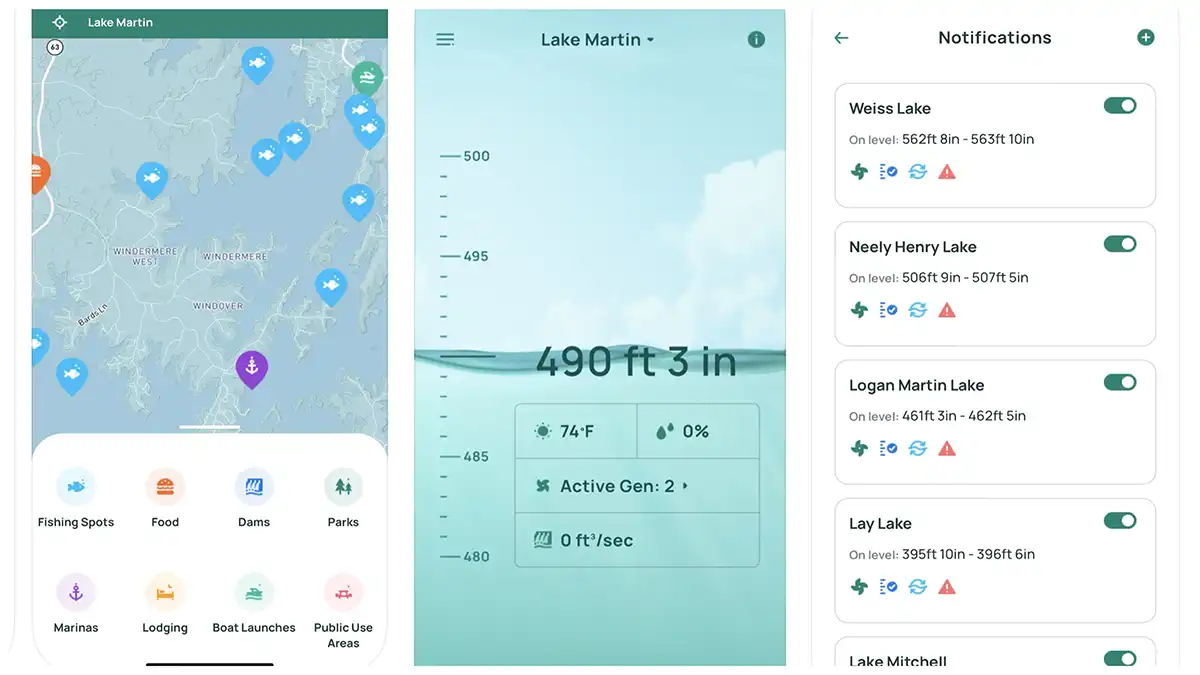
If you’re a kayak angler, a big boat guy that fishes river systems or a shore fisherman who wants to know the best times to fish below dams, keeping up with the current and generation schedules is key. Current is almost always a good thing when it comes to activating fish. A sudden dispensing of current from a dam can send your kayak careening down the river, or even wash you off the shore you’re standing on. In any instance, it’s good to know what the current forecast is before you go fishing.
There are many apps out there for this purpose; a few that appear to work nationally or regionally are RiverFlows, Rivercast and RiverApp.
I don’t have any personal experience with these larger apps, but for years I have used similar information provided locally by the TVA (Tennessee Valley Authority) as well as Alabama Power through their apps and websites to track generation schedules on the Tallapoosa River, the Coosa River, the Alabama River and the Tennessee River. This information is provided for free to the public through these avenues, whereas the other apps I’ve mentioned have free and premium versions.
GOOGLE EARTH
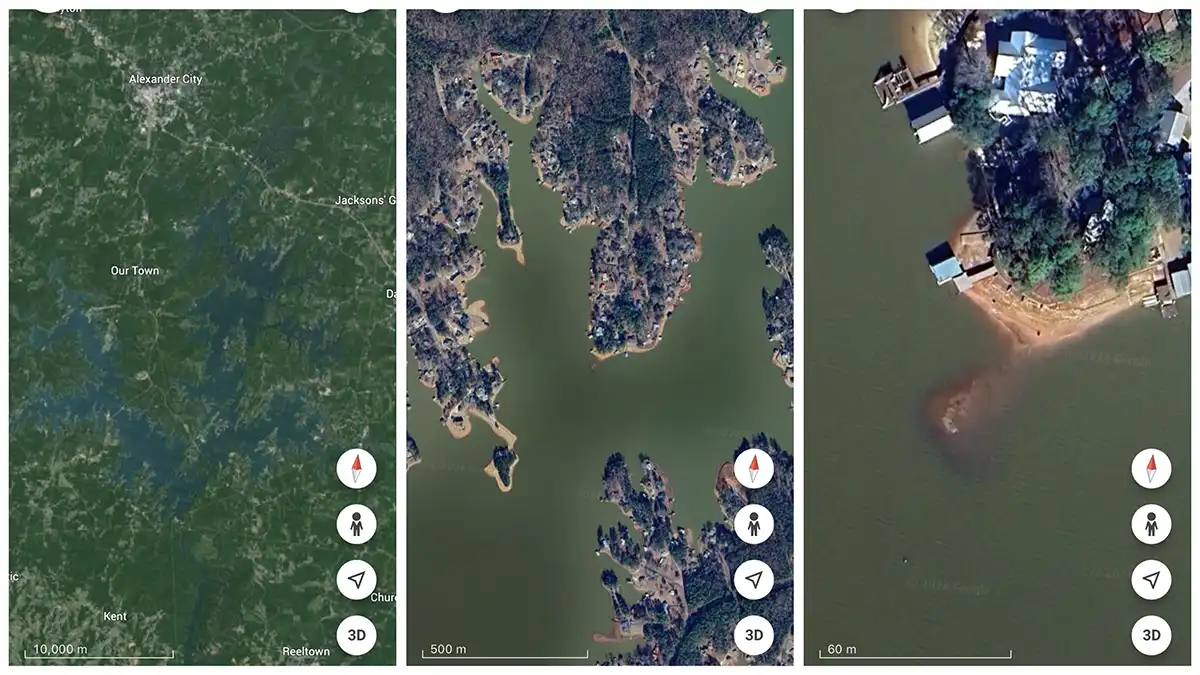
Another free to use, and extremely powerful, tool is Google Earth. I almost always use the detailed satellite images from Google Earth to peruse lakes and rivers before visiting them for the first time. Even on lakes I’ve been to dozens of times, I’ll still pull up Google Earth to scout new areas I haven’t fished before.
There’s a filter that will allow you to load old images, which really helps on lakes with winter pool drawdowns. If the most current image was taken when the lake was full pool, chances are one of the older images was taken with the water down. You can locate some premium fishing spots by looking for rock humps and brush piles that were visible with the water down but are now covered when the water is up.
Even if the older pictures are a decade old and you find a brush pile (one that’s likely rotted away since the image was taken), still go and take a look at it. Anglers and homeowners often replenish brush piles in the same places over and over again.
As an Amazon Associate, we may earn income when you click on an Amazon link. Thanks for helping us do what we love.
Read the full article here